Motivation
After being enthusiastic followers of 3Blue1Brown over the years, we set aside some time over a few weekends to answer one question: "How well can frontier models visually explain AI research papers using Grant Sanderson's Manim framework?"
So we built something we personally always wanted — a pipeline that ingests a research paper and outputs a 3Blue1Brown-style animated explainer video with narration, where key mathematical components of the paper are visualized for intuitive understanding. The hope is to get through a paper quickly without parsing through academic jargon.
Pipeline Overview
The system takes a research paper PDF as input and produces a fully narrated, animated video as output. Users pick one of three difficulty tiers — easy (10–14 segments, prerequisites taught from scratch), medium (4–6 segments, full notation), or hard (2–3 terse, expert-level segments). Each tier uses a specialized multi-agent system with distinct prompts and its own model lineup, controlling explanation depth, segment count, vocabulary complexity, and pacing. The paper first becomes a structured lesson plan, then every segment moves through codegen, render, and sync independently:
Narration audio is generated in parallel with the animation code, per segment. The beat timeline produced by TTS becomes the source of truth for animation timing: each segment's narration is split into sentence-level beats with a precise measured duration, and the Manim code generator receives this timing metadata so its animations land on the right beats. Because the stages are pipelined per segment rather than run in bulk, a finished segment can be handed to the viewer while the rest of the video is still rendering.
Specialized Agents
Agent 1
Intuition Generator
Reads the full paper PDF and produces a 3B1B-style educational breakdown. Each segment has a core insight, a concrete visual metaphor, a running example, and a narration script. Emphasizes intuition before formulas.
Agent 2
Manim Code Generator
Takes the educational breakdown, the running example, and beat-level timing metadata, and produces executable Manim Python code. Strictly limited to classes demonstrated in actual Manim documentation — no hallucinated APIs.
Separating these concerns matters. The intuition agent focuses entirely on the what and why — it doesn't know anything about Manim. The code agent focuses entirely on translating those ideas into valid, runnable Python. Each agent has a tightly scoped system prompt tuned for its role.
LLM-as-Judge Feedback Loops
Not every generated explanation is worth animating. A separate judge agent evaluates each explanation against six binary criteria: does it lead with intuition before formulas? Are the visual metaphors strong? Is the running example used consistently? Does it have real animation potential? Is math connected back to intuition? Is the narration script natural?
All six must pass. If any fail, the judge returns specific written feedback, and the explanation agent regenerates with that feedback appended to its prompt. This loop runs up to three times. The result is that only explanations meeting a consistent quality bar proceed to the expensive rendering stages.
Explanation
6 criteria
Execution-Based Feedback
LLM-generated Manim code frequently references classes or methods that don't exist, or assembles valid-looking Python that fails at render time. Rather than filtering this statically, the pipeline runs the generated code through manim render as a subprocess. If it executes cleanly, we move on. If it fails, the error output is parsed.
Key terms and class names are extracted from the error message, used to query the RAG system, and the retrieved documentation is injected back into the code generation prompt alongside the original error. The code agent then regenerates with this grounded context. This loop runs up to three retries per scene before falling back.
Code
manim render
extract terms
ChromaDB
Code
↩ retry
RAG with Manim Documentation
The Manim documentation — API reference, tutorials, guides — was scraped, chunked at ~1000 tokens with 200-token overlap, and embedded using OpenAI's text-embedding-3-large. The resulting ChromaDB vector store holds thousands of chunks, each labeled with its Manim classes, animation types, and chunk type (code example, API doc, tutorial, concept).
Retrieval is error-driven. When a code execution fails, the system builds a semantic query from the extracted error terms and fetches the top candidates from ChromaDB. These are then reranked: code example chunks get a significant boost, API docs get a moderate boost, and chunks mentioning more Manim classes rank higher. The top results are assembled into a documentation context block that the code agent sees on its next attempt.
This grounds the model in actual implementation details — real class signatures, working code patterns, confirmed behaviors — rather than letting it hallucinate from training data alone.
text-embedding-3-large
Pipeline-Parallel Streaming
Earlier versions ran each stage in bulk — generate every segment's code, then render everything, then sync everything — so you waited for the whole video before seeing anything. The pipeline now runs pipeline-parallel: each segment moves through codegen → render → sync independently. The moment a segment's code is written, its render is queued; the moment that render finishes, its audio sync starts. The final concat happens just once, at the end.
The practical effect is dramatic for time-to-first-watchable. Instead of staring at a progress bar, you get segment 1 roughly 10× sooner, and each subsequent segment lands as it finishes — a streaming staircase rather than a single wall at the end.
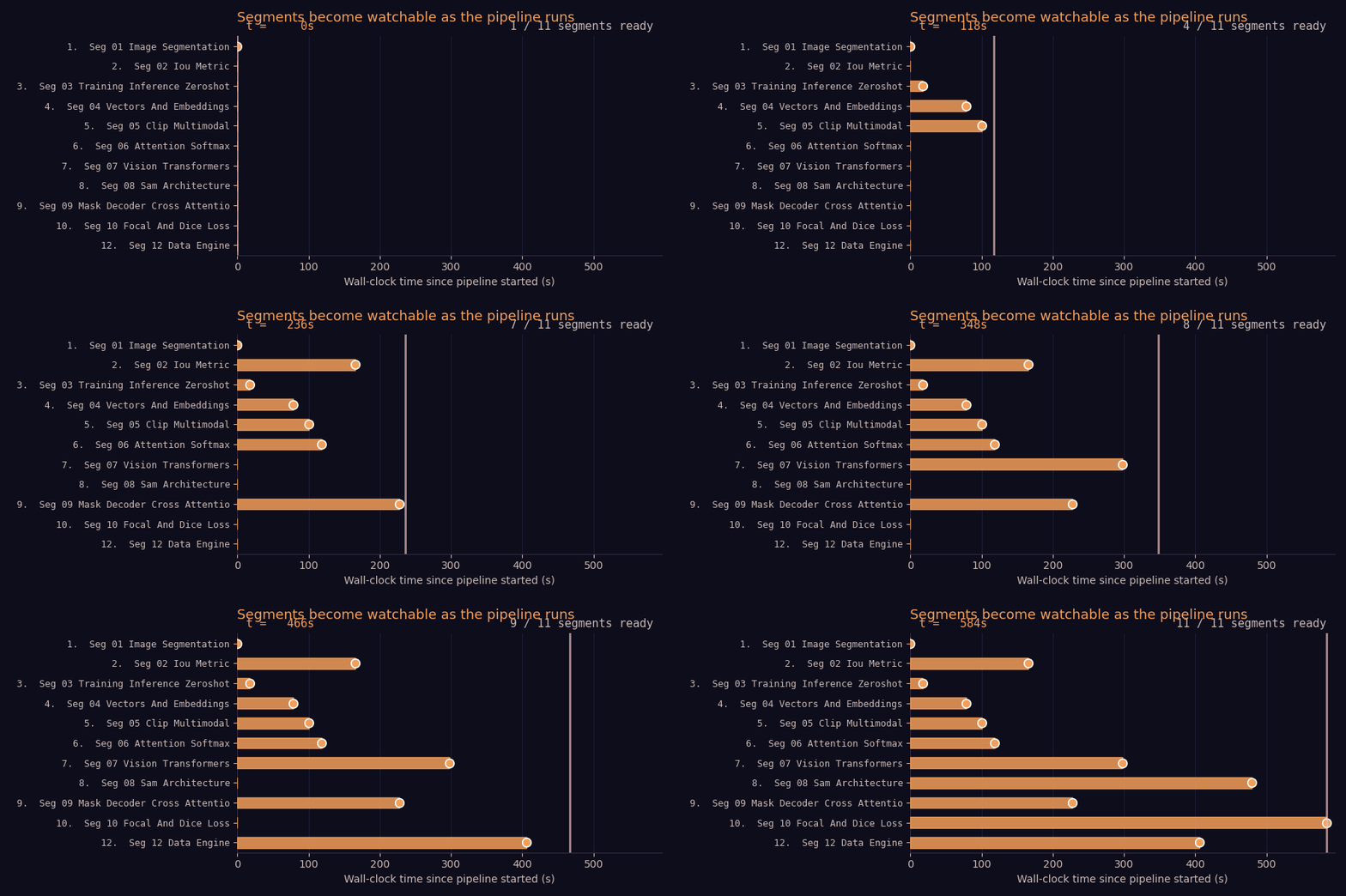
SAM.pdf → easy tier (12 segments, with audio) · each stage still runs on a 4-worker ThreadPoolExecutor under the hood
The pipeline is also resumable. If a run is interrupted, re-running with the same arguments picks up where it left off — anything already on disk (the explanation JSON, scene metadata, audio beats, rendered scenes) is reused rather than regenerated.
Audio and Video Synchronization
Narration is generated at the beat level using Gemini TTS through OpenRouter by default (OpenAI TTS remains a drop-in alternative via config) — each sentence or short phrase is its own audio file with a precisely measured WAV duration. These durations are accumulated into a timeline JSON that records the exact start time and length of every beat within every segment.
After a Manim segment renders, its actual video duration is measured with ffprobe. The pipeline then computes a speed factor: target_duration / actual_duration. If the adjustment is within ±30%, ffmpeg's setpts filter is applied to retime the video. If the video runs short, the last frame is frozen and appended. If it runs long, it's trimmed. The speed-adjusted video and audio are then merged into a single synced segment, and all segments are concatenated into the final output.
8–25 words
Gemini
Code
Manim
measure
ffmpeg setpts · too short → freeze last frame · too long → trim
Web App beta
There's now a browser UI that puts the streaming pipeline in front of the viewer. A FastAPI backend drives the pipeline and pushes live progress over Server-Sent Events; a lightweight React frontend renders it. You upload a PDF, and a progress page shows five circles — Explanation, Audio, Codegen, Render, Sync — lighting up for segment 1 in real time, while the remaining segments appear as "Preparing segment N…" cards.
The instant any segment finishes, the page auto-scrolls to an inline player that starts playing it; when it ends, it auto-advances to the next ready segment. The whole thing runs locally from the repo today — point the backend at your OpenRouter key and open the page.
Books → Video chapters
The same engine also turns whole book chapters into a coherent series of explainer videos — not just one-off papers. It pulls the table of contents from the PDF (embedded TOC or LLM-parsed), writes a shared series bible — running example, notation glossary, visual style — so every chapter video feels like part of one course, then runs each chapter through the same explanation → codegen → render → sync pipeline.
Consistency
Series Bible
One running example, one notation glossary, and one visual style are generated once from the book's table of contents and injected into every chapter's prompt — so chapter 7 still uses the same worked example as chapter 1.
Continuity
Rolling Context
Each chapter can carry forward the tail of the previous chapter's narration, so a multi-chapter run reads like a continuous course rather than disconnected clips — while chapters still render in parallel by default.
python -m research_viz.book_generator.book_pipeline --book-pdf MyBook.pdf --chapters 1 --difficulty medium
--chapters "1,3,5" picks specific chapters, --chapters 0 processes the whole book — same three difficulty tiers as single-paper mode. Full reference in the repo.
Model Comparison
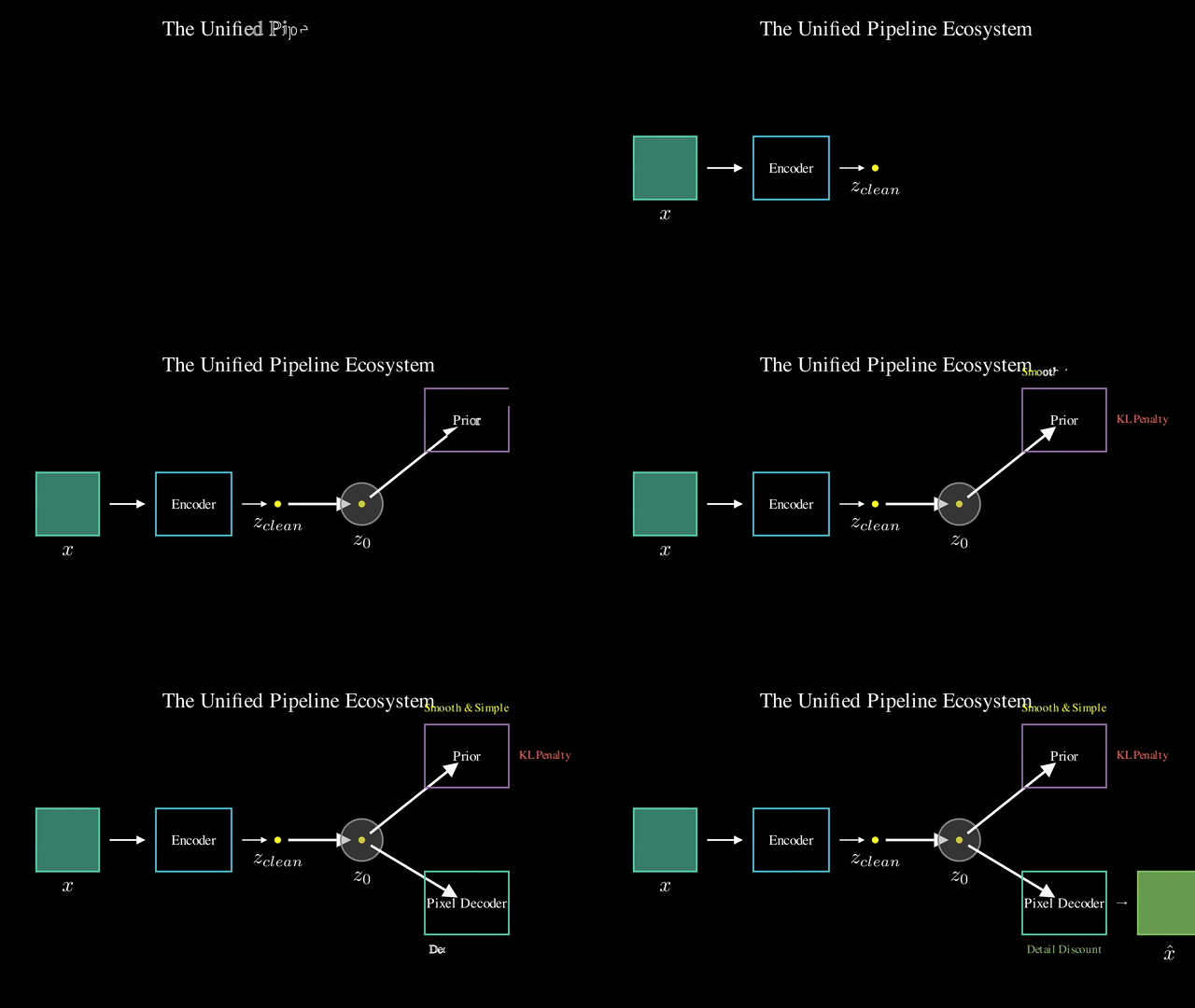
We ran the same paper — Unified Latents — on "scholar" mode through the pipeline using three different frontier models for the explanation and code generation steps. Here's what each produced.